
Delaware Online
USA TODAY Co.News & Magazines
3.1161.00 Reviews
- Version
- 8.10.3
- Installs
- 50.00K
- Age Rating
- Everyone 10+
Screenshots






Our Review of Delaware Online
 Analysis by Appyee
If you’re opening a local-news app for the first time, it helps to know what kind of habit it is meant to support: quick checks on what is happening nearby, followed by a longer read when a story affects your day. That is the role I would give Delaware Online. It is a free news app from USA TODAY Co., focused on Delaware, and it makes the most sense for readers who want a local perspective alongside national headlines rather than a broad, all-purpose news feed.
I would approach it with one simple goal on the first visit: find a current Delaware story that matters to you and read it through. That small first success tells you more than scrolling through every section at once. The app is for Everyone 10+, has a 3.1 average from around 450 ratings, and has been installed over 50,000 times. Those figures suggest a real audience, though the middling rating is a fair reminder to judge the reading experience on your own device and against your own expectations.
Getting oriented and finding a useful first story
I’d use this section to make the first visit feel manageable: rather than chasing every headline, I’ll look for one Delaware story connected to a place, person, or issue I care about. That gives me a practical way to judge whether the app’s local focus earns a place in my routine, which is the next thing I’ll explore.
What to expect from a Delaware-focused news app
Delaware Online is not the same kind of product as a national headlines aggregator. Its value is the local lens: when you want coverage connected to Delaware, a publication devoted to the state can give you a more relevant starting point than a feed where local items compete with news from everywhere. The app also includes national news, photography and video, so it is not limited to only one kind of story.
That focus is helpful if you live in Delaware, have family there, work with people in the state, or simply want to follow issues that affect a particular community. It is less useful if your main goal is a single feed of worldwide breaking news or deep coverage of a subject unrelated to Delaware. In that case, I would keep a broader news source for the bigger picture and use this app as a local complement.
The app’s current version is 8.7.1 and its minimum operating-system requirement is 8.0. It is free to install, but it offers in-app purchases priced from $19.99 to $69.99 per item. I would check the purchase details shown in the app before committing to anything: the free download does not mean every possible reading option is necessarily included without charge.
Start with a simple first-session routine
When I try a news app for the first time, I avoid tapping through every prompt or section just to see what is there. I start by scanning the main screen, opening one story with a clear local connection, and then checking how easy it is to return to the list. That gives me a practical feel for the basic reading loop: discover, read, and resume browsing without losing my place.
For a first meaningful visit, choose a story tied to something you already care about, such as a local decision, a community issue, or a Delaware team. If the app presents topics or alert choices, I would be selective rather than opting into everything. A narrow set of notifications is easier to live with, and it lets you see whether the alerts actually help you return to stories you would otherwise miss.
A realistic use case is checking the app over breakfast before leaving home. I would scan the leading local headlines, open one story that could affect my plans or conversation that day, and save longer browsing for later. The point is not to read every item; it is to make the app a useful local checkpoint without letting a stream of updates take over the morning.
Read with a purpose, not just by scrolling
Local coverage is most useful when you connect it to a question. If a headline concerns a decision or event in your area, read the article with that question in mind: what happened, who is affected, and what should I watch for next? This habit helps separate a quick update from a story that deserves more attention, and it makes a focused local publication more valuable than casually skimming a general feed.
Photography and video can also change how I approach a story. When a visual report is available, I treat it as another way to understand the subject, not as a substitute for reading the details. For a busy reader, a quick look at the visual material can provide context; if the issue is important, I would still read the article carefully before sharing it or drawing conclusions.
One useful trade-off with a local app is that relevance depends on your connection to the place. If you are following Delaware because you live there or have a specific reason to care, local stories can be more valuable than a larger number of broadly chosen headlines. If you are only looking for national breaking news, the local emphasis may feel narrow. Knowing which need you are trying to meet makes it easier to decide whether to open this app first or reach for a national outlet.
Keep alerts and sharing intentional
Notifications can make a local news app feel timely, but they can also turn a calm reading routine into repeated interruptions. I would begin with only the alerts that match the subjects I actually want to follow, then adjust if the notifications prove too frequent or not useful enough. This is a better test than enabling every alert and deciding the app is noisy before you have learned what matters to you.
Sharing is most helpful when it leads to a worthwhile conversation, not just another forwarded headline. Before sending a story to friends or family, I would read enough to understand its context and include a short note about why it matters to them. That is especially useful with local news: a story may be important to one neighborhood or group without being equally relevant to everyone in your contacts.
Common points of confusion and practical limits
The free install and the in-app purchases are worth distinguishing. You can download the app without paying upfront, while some purchase options are offered inside it. If you reach a payment prompt, pause to read what that specific option includes and whether it suits your reading habits. Someone who only wants occasional local updates may not value a paid option in the same way as a regular reader who returns for in-depth coverage.
Another possible mismatch is expecting every story to be a fast, universally relevant headline. A local publication naturally gives space to subjects that matter within its coverage area, and not every item will connect with every reader. I would not treat a story that feels too specific as a flaw by itself; I would instead use the app selectively and switch to a broader source when I want more national or international range.
The 3.1 average rating is a reason to keep expectations measured, not a verdict that every user will have the same experience. News apps are judged on a mixture of content, navigation, access and individual preferences. I would spend a short trial period checking whether articles open reliably on my device, whether the layout is comfortable to read, and whether the local coverage is useful enough to make the app worth keeping.
First Impressions Matter
So, I downloaded Delaware Online, excited to see what it had in store. The app greeted me with a clean and straightforward interface, which is always a plus. No one likes to wrestle with cluttered screens when they’re just trying to catch up on the news, right?
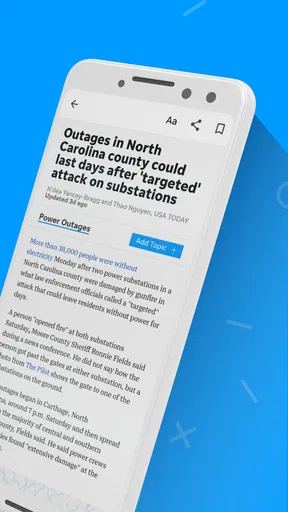
What struck me first was how easy it was to navigate. The main screen showcases the top stories, and you can swipe through different sections like local news, sports, and entertainment. It’s intuitive, and even my non-tech-savvy friends would have no trouble finding their way around.
Content Galore
This app doesn’t skimp on content. Whether you’re interested in politics, business developments, or the latest sports scores, Delaware Online has got you covered. I found the variety refreshing, as it provides a holistic view of what’s happening in the state.
One of the things I loved was the local flavor. You get stories that are relevant to Delaware, which you might not find on larger, more generic news platforms. There’s something special about reading news that hits close to home. It makes you feel more connected to your community.
Features That Stand Out
Let’s talk features. This app is packed with little gems that make the experience all the more enjoyable. The notifications system is quite customizable, allowing you to pick and choose which types of alerts you want. I found this particularly helpful because, let’s be honest, no one wants their phone buzzing for every single update.
Another feature worth mentioning is the offline reading mode. I’m often on the road, and having the ability to download articles to read later without internet is a game-changer. It’s these thoughtful touches that make the app stand out.
If offline reading is part of your routine, I would make a point of preparing before you leave a reliable connection. Pick the article you want to revisit while you are online, then check that it is available before you depend on it during a commute or trip. That small habit avoids the frustrating assumption that every item will automatically be ready to read without a connection.
Community Engagement
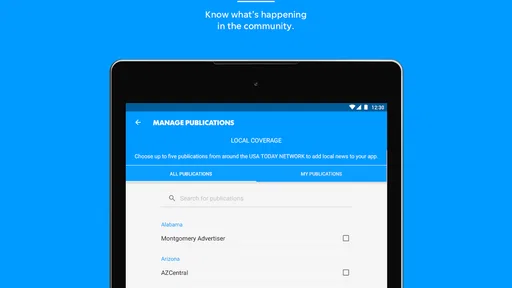
One of the aspects I genuinely appreciated was the community engagement through the app. There are sections for reader opinions, and you can even submit your own stories or tips. It’s like being part of a larger conversation, and it’s a fantastic way to see different perspectives on local issues.
The app also integrates social media sharing seamlessly, so if you stumble upon a story that you think your friends need to read, it’s just a tap away to share it across your channels.
Reader opinions can add a useful sense of how people are responding to an issue, but I would keep them distinct from reported information. When a topic is contentious, read the article first, then treat comments and opinions as perspectives rather than as a replacement for the reporting. That approach lets you benefit from community discussion without confusing reaction with established details.
Performance and Reliability
Now, onto performance. Throughout my usage, the app ran smoothly without any hitches. I didn’t encounter any unexpected crashes, which is always a relief. The articles load quickly, and videos play without buffering, which is crucial for a seamless reading experience.
Battery usage was minimal, so you don’t have to worry about the app draining your phone’s lifeblood. It’s optimized well for both Android and iOS, ensuring a consistent experience across platforms.
For a first-time user, the best reliability test is an ordinary one: open the app when you have a moment, read a complete article, leave it, and return later to see whether it still fits your routine. Video is more demanding than text when you are short on time or connectivity, so I would save video viewing for when it suits the situation and use article reading for quick check-ins.
Who will get the most from it
I would recommend trying the app if Delaware is part of your daily life and you want a dedicated place to check local reporting, sports, and community perspectives. It can also suit someone who lives elsewhere but wants to keep up with people or issues in the state. The strongest reason to keep it is not the promise of endless headlines; it is the chance to make local coverage easier to find than it would be in a large, mixed-topic news feed.
I would skip it, or at least avoid making it my only news source, if I mainly want a wide international view, highly specialized reporting outside Delaware, or a completely free reading experience with no purchase prompts. A national news app or a broad aggregator is a better first stop for those needs. For a reader whose priority is what is happening in Delaware, this app has a clearer purpose.
Final Thoughts
So, would I recommend Delaware Online? Absolutely. It’s a robust app that caters specifically to Delaware residents, offering a personalized touch with its local-focused content. Whether you’re a news junkie or just want to keep tabs on your community, this app is a reliable companion.
With its user-friendly interface, rich content, and thoughtful features, Delaware Online is definitely worth a download. Who knew keeping up with the news could be this engaging? If you haven’t tried it yet, give it a go and let me know what you think!
Verdict
Strengths of Delaware Online
- User-friendly interface for easy navigation.
- Real-time news updates and alerts.
- Customizable news categories.
- High-quality multimedia content.
- Offline reading mode available.
Limitations of Delaware Online
- Ad-heavy experience can be distracting.
- Subscription required for premium content.
- Occasional app crashes reported.
- Limited international news coverage.
- Some features require high data usage.
Other Releases by USA TODAY Co.
View All
IndyStar: Indianapolis Star
News & Magazines2.7

AZ Central: Arizona Republic
News & Magazines2.5

The Detroit News: Local News
News & Magazines3.1

Detroit Free Press: Freep
News & Magazines3.0
Similar Picks in This Category
View All
Google News - Daily Headlines
Google LLC4.0

X
X Corp.4.8

Flipboard:Your Social Magazine
Flipboard3.4

Opera News: breaking & local
Opera4.5

Hindi News by Dainik Bhaskar
Dainik Bhaskar Group4.0

Way2News Daily News App
Way2News ( Formerly Way2SMS )4.6
Frequently Asked Questions
What features does the Delaware Online app offer?
The Delaware Online app provides users with the latest local news, sports updates, and weather forecasts. It offers personalized notifications, an easy-to-navigate interface, and the ability to save articles for offline reading. Users can also access multimedia content, such as videos and photo galleries, to enhance their reading experience.
Is the Delaware Online app free to use?
The Delaware Online app is free to download, but it offers both free and subscription-based content. While many articles are available at no cost, some premium content may require a subscription. Users can choose to subscribe for full access, which typically includes an ad-free experience and additional features.
How often is the content on Delaware Online updated?
Content on Delaware Online is updated frequently to provide the most current news and information. Breaking news stories are posted as they happen, and regular updates are made throughout the day. This ensures that users have access to the latest developments in local and national news.
What devices are compatible with the Delaware Online app?
The Delaware Online app is compatible with both Android and iOS devices. It can be downloaded from the Google Play Store for Android users and the Apple App Store for iOS users. The app is designed to work seamlessly on smartphones and tablets, providing a flexible reading experience.
How can I manage notifications in the Delaware Online app?
To manage notifications, navigate to the settings menu within the app. Here, you can customize which alerts you receive, including breaking news, sports updates, and weather alerts. This allows you to tailor the notifications to your interests, ensuring you only receive the most relevant updates.
